
Storyboard vs moodboard: choose by the decision
A moodboard defines visual direction; a storyboard explains a sequence. Compare their roles with a product-film example and a practical decision diagram.
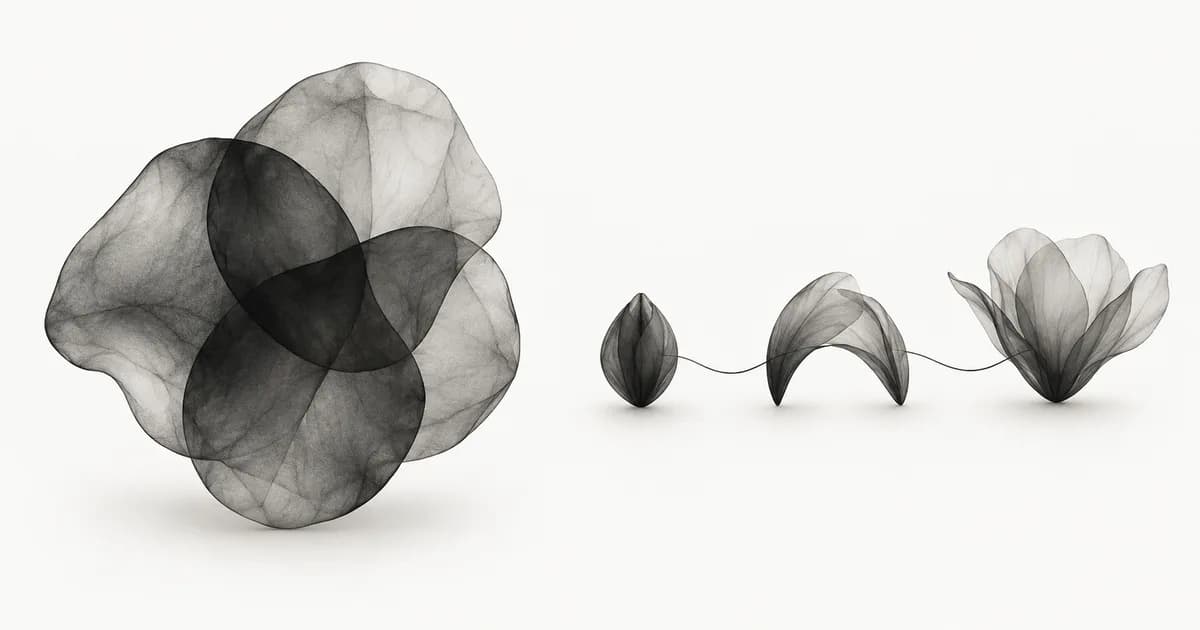
Direct answer
A moodboard defines the visual direction of a project; a storyboard shows what happens in sequence. Choose a moodboard when the unresolved question is about appearance, tone or atmosphere. Choose a storyboard when it is about actions, transitions or timing. Use both when a project needs agreement on its look and its progression.
How do storyboard and moodboard differ?
A moodboard groups visual references to communicate a direction. A storyboard arranges panels in order to explain events and transitions. Both can contain pictures and notes, but they answer different questions. A group of attractive images can establish the look of a film without explaining its action order.
Milanote describes moodboarding as a way to organize and communicate visual inspiration.[1]
VistaCreate defines a storyboard through its visual sequence and discusses its use in video and demos.[2]
Treat those definitions as a starting point. The practical comparison below separates each artifact's input, output and approval question, so a team can see what remains undecided.
- Moodboard input: selected references. Output: a visual direction. Approval question: does this appearance fit the project?
- Storyboard input: the intended action or script. Output: ordered panels with notes. Approval question: does this sequence communicate the event?
- Both together: references establish the look; panels show where and when it is applied.
Choose the artifact by the question still open
Ask whether the disagreement concerns appearance or progression. If people cannot agree on photographic style, typography or atmosphere, develop a moodboard. If they cannot agree on the next action, transition or reveal, develop a storyboard. If both remain uncertain, record two decisions and use both artifacts. The diagram gives a quick route through that choice.
This rule also helps when the team requests 'a board' without specifying the job. Ask what someone should be able to approve after seeing it. A sequence of attractive images can look like a storyboard while containing no action. An ordered presentation of references can still be a moodboard if its purpose is only to explain a visual direction.
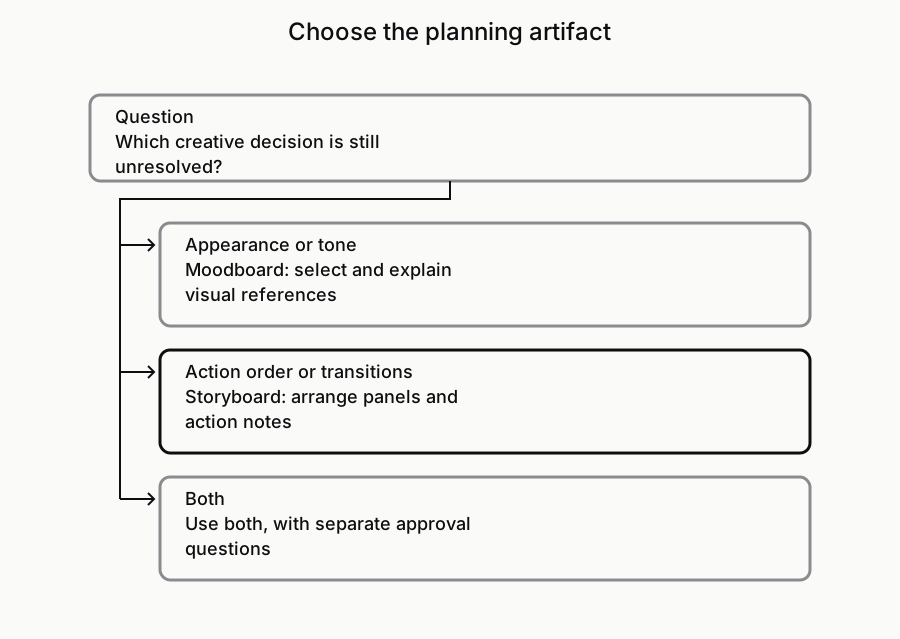
Worked example: a short product film
Imagine a hypothetical film introducing a ceramic cup. The moodboard might propose diffuse light, a quiet surface and close framing. Captions identify which quality each reference contributes. The storyboard might show the cup entering frame, a hand turning the handle, and the closing view with the product name. These are proposed creative decisions, not instructions derived automatically from the pictures.
Approving the moodboard settles the intended visual direction. It does not establish whether the hand enters before or after the title, how the turn connects to the final view or what sound accompanies it. Approving the storyboard settles the proposed progression. It does not prove the lighting setup works. Keep those approvals separate so a change in action order does not accidentally reopen the whole visual direction.
Move from references to panels without losing context
When both artifacts are needed, attach the relevant visual reference to the panel that uses it. Write what carries over, such as light direction or framing, and what belongs to the new sequence. Give panels stable identifiers so review comments can name an exact moment. Keep the source notes accessible instead of flattening everything into an unexplained image.
For the cup film, panel CUP-B might cite the reference for a close crop while adding the new action of turning the handle. Its note can separate the observed composition from the proposed camera movement. If movement is important, a still image is incomplete evidence. Our motion-reference guide explains how to document a sequence without inventing its timing or easing.
What belongs in each approval record?
A moodboard approval records accepted visual principles and unresolved treatments. A storyboard approval records the accepted sequence, transitions and open production questions. Include the reviewer, date and decision scope. Avoid a single approved label that leaves the team guessing which artifact or version somebody reviewed.
For example, approve the soft-light direction while leaving the exact background open; approve the cup's turn before the closing title while leaving the duration for a test. These notes let you make a local revision without assuming every detail was settled. The design-brief guide can help turn the visual principles into written direction while keeping the sequence as a separate artifact.
Where does a reference library fit?
A reference library stores the larger research collection. A moodboard selects references for the present direction, and a storyboard arranges the planned events. Explore the library workflow in Sesavu and check its documentation for current features. You will still need a suitable document or board for presenting the sequence. This comparison does not assume Sesavu has a storyboard editor or automatically generates either artifact.[3][4]
Questions designers ask
Can the same image appear in a moodboard and a storyboard?
Yes, if it has a clear role in each. On the moodboard it can establish a visual quality. On the storyboard it can support a particular panel. Add notes explaining the difference so the reference is not mistaken for a complete shot instruction.
Which should I make first, the storyboard or the moodboard?
Start with the unresolved decision that is blocking the project. If appearance needs agreement, begin with the moodboard. If the action or script is unclear, begin with a rough storyboard. Refine them together when changes to one affect the other.
Is a moodboard enough to plan a website animation?
A moodboard can communicate the visual direction, but it does not specify the animation sequence or behavior. Add ordered states or panels and document the relevant motion reference. Test the actual movement before treating it as an approved implementation.
Sources checked
- Moodboarding and visual direction — Milanote
- What a storyboard shows — VistaCreate
- Explore Sesavu — Sesavu
- Sesavu documentation — Sesavu