
Website Typography Hierarchy: Fix Type That Feels Flat
Build website typography hierarchy with clear text roles, a starting scale, semantic headings and mobile spacing checks. Fix flat type without adding fonts.

Direct answer
Build website typography hierarchy by assigning a clear role to every kind of text, then varying size, weight and spacing to make those roles recognizable. Start with readable body text, establish a stronger section heading and reserve the largest treatment for the page title. Keep semantic heading levels logical even when their visual sizes change.
Map the jobs your text needs to do
A typography hierarchy is a relationship between text roles, not a collection of impressive font sizes. List the roles on a real page: title, section heading, body, label, action and caption. Give each a job. The title identifies the page; section headings make its structure scannable; body text explains; labels and captions provide local context. If two roles are visually identical, decide whether they really need to be different.
Start with a page containing both a short introduction and a dense section. A home-page hero alone is a poor test because it can hide weak body rhythm. For a service page, put a long service name, a price explanation, opening hours and a booking instruction together. You need the system to distinguish them without requiring a new treatment for each line.
Use a small starting scale, then tune it in context
For a first browser specimen, try body text at sixteen CSS pixels with a line height of twenty-four CSS pixels, section headings at twenty-four CSS pixels with a line height of thirty CSS pixels, and the page title at thirty-two CSS pixels with a line height of thirty-eight CSS pixels. These are suggested starting values, not a standard or an accessibility guarantee. Keep the body readable first; adjust the heading relationships around it rather than shrinking the paragraph to make a title feel grander.
On the service-page specimen, use the title for the service name, section headings for “What is included” and “Before your visit”, and body text for the explanations. Keep availability and captions quieter through spacing and weight before reducing size. Add a role only when the content requires one. A scale generator can suggest numbers; it cannot decide what each piece of your content means.
Inspect the resulting rhythm: title to introduction, heading to paragraph, paragraph to paragraph, and section to section. The space above a heading should help readers understand that a new section begins; the space below should connect the heading to the content it introduces. Fix the relationship rather than nudging every block independently.

Separate visual hierarchy from semantic heading levels
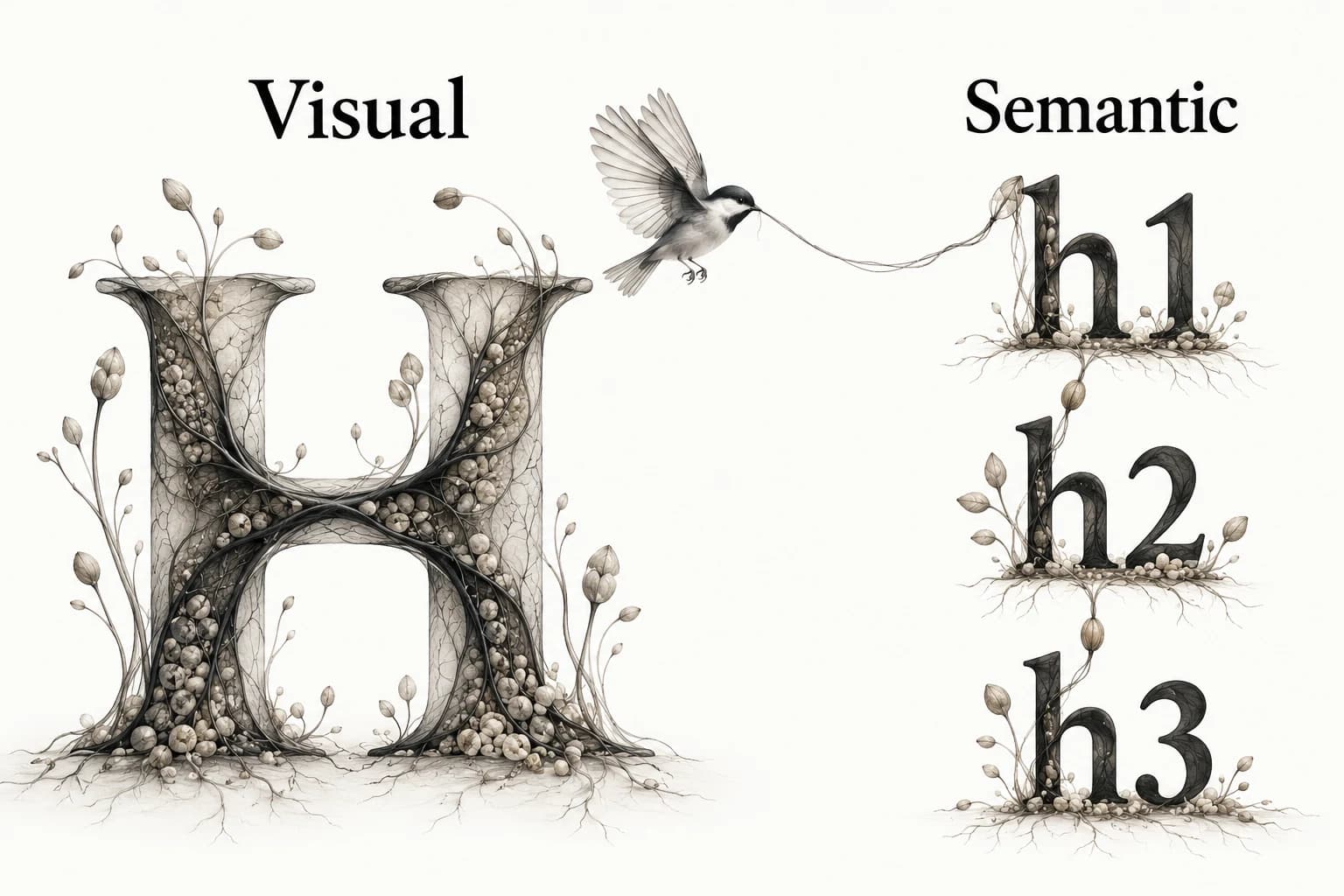
Use heading levels to express the document’s structure. W3C’s page-structure tutorial describes nested ranks and advises avoiding confusing skips when opening subsections. An h2 starts a section below the main heading; an h3 introduces a subsection within it. Choosing an h4 simply because its default size looks right confuses structure with styling.[1]
Style a heading to suit its role without changing its meaning. A visually quiet h2 may still be the right section heading; a large marketing sentence may be a paragraph if it does not introduce a section. The illustration separates Visual from Semantic for this reason. Check the actual heading outline and screen-reader navigation as well as the appearance.[1]
Avoid using bold paragraphs as the only section labels when the content needs real headings. Conversely, do not turn every emphasized sentence into a heading. Someone moving through the page by headings should encounter a useful outline, not a list of slogans or isolated phrases.
Repair flat type in a deliberate order
When everything feels equally important, first remove unnecessary emphasis. If every paragraph contains bold text, every caption is uppercase and every heading has a different accent, the system has no quiet baseline. Establish the ordinary reading treatment, then add emphasis only where the content needs it. Keep one leading role in each local group.
Next check weight and spacing before increasing size. A slightly stronger heading with a clear section gap can be more coherent than an oversized heading crowded against the next paragraph. If the page still feels flat, increase the relationship between roles. Revisit font pairing only when the family relationship is the problem, not when spacing is unresolved.
Write the diagnosis in observable terms: “Section headings merge with the previous paragraph” or “The caption competes with the action.” Those statements lead to a specific adjustment. “Make it more premium” invites unrelated changes and makes it difficult to tell whether the revision worked.
Stress long titles and narrow reading columns
Try the longest realistic title and a paragraph with links, numbers and emphasized terms. Narrow the viewport until the title wraps several times. Reduce display scale if it dominates the first screen, but preserve the difference between title and section heading. Do not compress body text or remove useful explanation just to preserve a desktop composition.
Check how many words fit comfortably on a line with the actual family and content. There is no single line length that fixes every script or layout. Watch for lines so wide that returning to the next line becomes awkward, and columns so narrow that ordinary phrases break constantly. Tune width and line height together, then reread a full section.
For non-excepted vertically scrolling content, WCAG Reflow addresses presentation at a width equivalent to 320 CSS pixels without two-dimensional scrolling. Use that as a relevant stress condition, while preserving the criterion’s exceptions. A narrow screenshot alone does not establish compliance; inspect clipping, reading order and operability in the page.[2]
Test user text spacing without treating it as your default
WCAG Text Spacing requires content to remain usable without loss when users override specified spacing properties, including line height to at least 1.5 times the font size, letter spacing to 0.12 times and word spacing to 0.16 times. It also includes spacing after paragraphs of at least twice the font size. These are override test conditions, not a requirement to design every page with those defaults.[3]
Apply the overrides and look for clipped headings, fixed-height controls, overlapping captions and missing text. If a card grows, let its layout accommodate the content instead of hiding overflow. Repeat the test on the densest page, where short polished specimens are least likely to reveal problems.
When a fix changes the typography system, rerun the affected role checks. If an action label now wraps, inspect its control height and accessible name rather than reducing every label size. A good system absorbs ordinary content variation; it should not depend on editors writing exactly the length used in a mockup.
Keep a role specimen beside the reference that inspired it
Document each role’s family, weight, size range, line height, spacing behavior and semantic use. Add examples with short and long content. Keep a reference note explaining why the relationship works, then compare the implementation to that reason. This is more durable than a screenshot whose type sizes nobody can identify.
Use the design-token reference guide when recording candidate values from another site, and the visual reference library guide when preserving the evidence. Explore Sesavu for the current collection surface and check its documentation for current capabilities.
Questions designers ask
What is typography hierarchy?
Typography hierarchy is the visible relationship between text roles, created through size, weight, spacing and other treatments. It helps a reader distinguish titles, sections, body text and supporting information.
Do I need a different font for every heading level?
No. Reuse a coherent family or pair and vary the roles deliberately. Semantic heading levels should remain logical even when two levels use similar visual sizes.
Sources checked
- Page Structure Tutorial: Headings — W3C
- Understanding Reflow — W3C
- Understanding Text Spacing — W3C
- Sesavu documentation — Sesavu