
Style Tile vs Moodboard: Get Design Approval Sooner
Choose a style tile or moodboard by what needs approval. Compare their scope, build a bookstore direction, and separate visual agreement from layout sign-off.

Direct answer
Use a moodboard to agree on a visual direction; use a style tile to agree on the fonts, colors and interface treatments that will express it. A moodboard collects references. A style tile proposes reusable design choices. Neither approves page layout, responsive behavior or a working interaction. Choose the artifact that resolves the disagreement you actually have.
What does a style tile approve that a moodboard does not?
A style tile approves a proposed visual vocabulary: actual type treatments, a role-based palette and examples of reusable elements. A moodboard establishes the references and qualities behind that vocabulary. The Style Tiles method describes the deliverable as fonts, colors and interface elements, positioned between an ambiguous moodboard and a literal page composition. It explicitly separates style from layout.[1]
Treat this as a distinction between decisions, not between levels of designer sophistication. A clear moodboard can settle the only question a project has. A beautifully assembled style tile can still fail if the stakeholders disagree about the audience or the offer. Start by writing the sentence that needs agreement: “The site should feel like a specialist bookseller, not a discount marketplace.”
- Moodboard: agree on qualities, references and exclusions.
- Style tile: agree on type roles, palette roles and element treatments.
- Wireframe or prototype: agree on structure, flow and behavior.
Choose by the disagreement in the room
Use a moodboard when people mean different things by words such as warm, editorial or precise. Use a style tile when everyone likes the direction but cannot yet say how headings, links or surfaces should look. Move to a prototype when the dispute concerns where something goes or what happens after a click. Changing the artifact is often more useful than adding more examples to the current one.
Ask each stakeholder to complete three sentences: “This example works because…”, “We should avoid…”, and “I need to see this on…”. The first gives you a transferable quality; the second establishes a boundary; the third identifies the next proof. If the answer is “on the product page with a long title”, a larger moodboard will not answer it. Create that specimen.
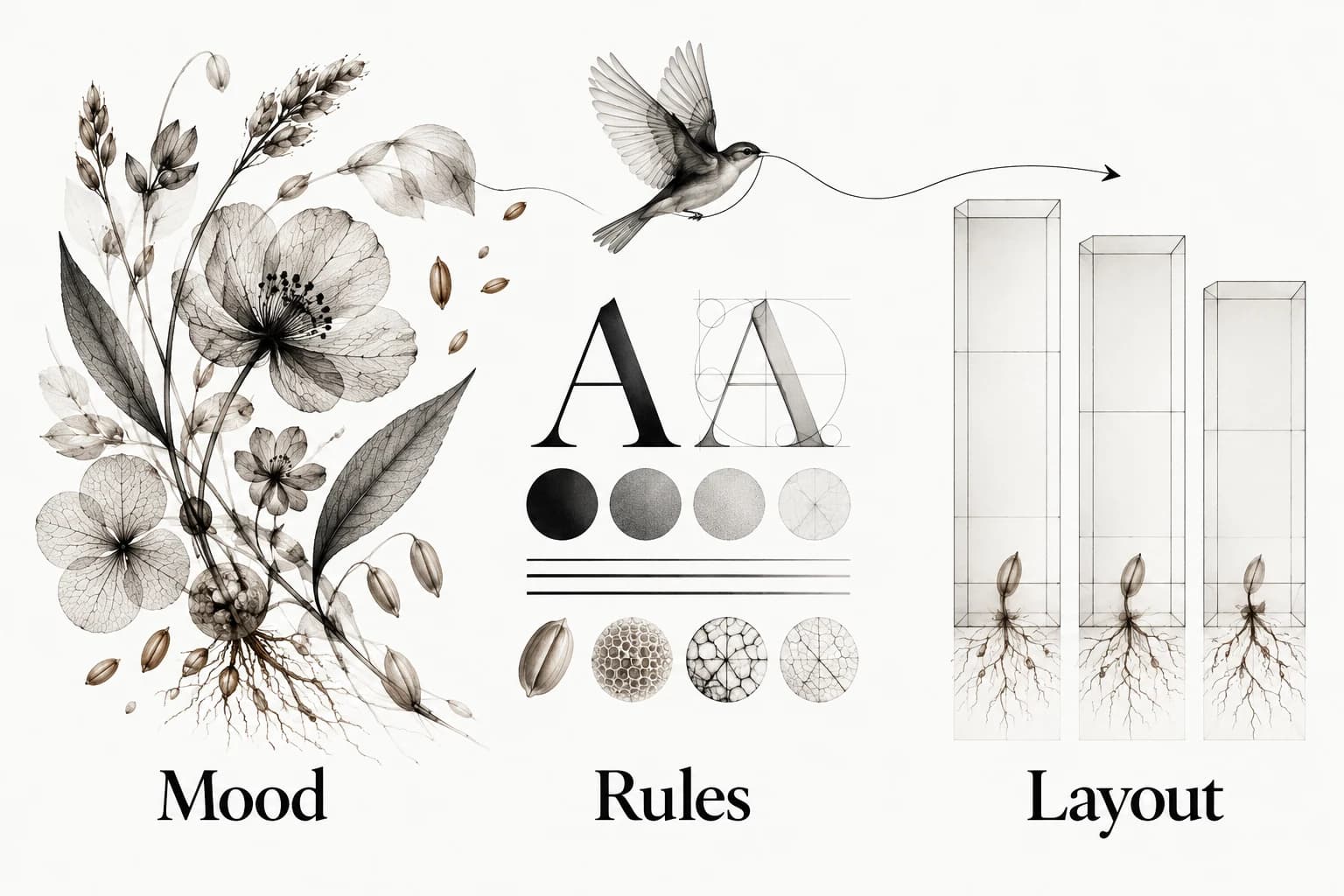
A bookstore direction, from references to rules
For an independent bookstore, begin with a direction: thoughtful recommendations without an academic tone. Select a cover detail for restrained color, an editorial spread for hierarchy and a shop photograph for warmth. Annotate the exact lesson from each. Do not ask approval for every object in those images; a photograph of shelves is evidence for atmosphere, not a request to reproduce its layout.
Now translate the direction into a tile: a readable serif heading, a plain supporting sans, warm neutral surfaces, dark body text and a single strong action treatment. Add real copy such as “Find your next unexpected read” and a longer book title. Include a text link, a button treatment and an image-crop rule. Those small specimens expose whether the direction still works when it carries content.
Write the approval sentence beside it: “We agree on the editorial type contrast, neutral surfaces and emphasis treatment. Product-grid density, navigation and mobile behavior remain open.” That statement is more useful than “Tile B approved”, because it names what a developer may carry forward and what the team still has to design.
Build the smallest tile that can expose a bad choice
Include enough content to reveal the likely conflicts: a short and long heading, a readable paragraph, a link, a primary action, a quiet secondary action and an image treatment. Show text against the actual proposed surface. Keep the composition loose enough that nobody mistakes it for the homepage. A tile is a set of reusable samples, not a tiny complete website.
Use sources to explain the choice, then replace borrowed details with your own proposal. A reference may suggest restrained contrast or generous whitespace; it does not grant permission to copy a distinctive illustration or wordmark. Keep the reference URL and your interpretation separate. The visual reference library guide explains how to preserve that reasoning beyond this project.
- Type: roles and real text, including the longest likely heading.
- Color: named roles and the pairs that need a contrast check.
- Elements: a few representative treatments, not a component inventory.
- Imagery: crop, subject and visual weight, with one clear exclusion.
Separate preference, accessibility and feasibility
Sort feedback into Agree, Test and Open. Agree contains an explicit choice the group accepts. Test contains a promising choice that needs evidence: a thin display face at small sizes, for example. Open contains a decision that this artifact cannot resolve. This prevents a comment about navigation from silently changing an approved visual direction.
Accessibility questions need checks on the proposed colors and content, not a vote on whether the tile feels readable. WCAG contrast guidance sets a minimum of 4.5:1 for ordinary text and 3:1 for qualifying large text, with specified exceptions. A style tile can expose a contrast failure early; it cannot establish that the finished site is accessible.[2]
Feasibility also belongs in the Test column. Confirm font access, image rights and whether the proposed treatment can survive real content. Assign an owner to each test. If a font cannot support a required language, return to the type choice; there is no need to reopen the entire moodboard.

Present options without creating a mix-and-match trap
Present coherent directions rather than a pile of unrelated colors and fonts. Explain the job of each direction, its strongest use and its likely tradeoff. When a stakeholder wants the heading from one direction and imagery from another, rebuild the combined specimen and inspect it as a whole. Approval of separate parts does not establish that the combination works.
End the review with a short record: chosen direction, accepted rules, rejected alternatives, unresolved questions and the next specimen to inspect. If taste disagreements keep resurfacing, use a design decision log. If the group needs a structured discussion before choosing, run a design critique focused on one question.
Carry the direction into a real page
Apply the tile to the page most likely to break it: a dense product list, an awkward service description or a small-screen checkout. Preserve the agreed qualities while allowing the layout to change. Compare the page back to the rules, not to the accidental arrangement of samples on the tile. This is where visual approval becomes an implementation decision.
Keep the references, agreed rules and resulting page together so future collaborators can see the progression. Explore Sesavu for an example of a visual collection surface, and check the current product documentation before choosing a capture or agent workflow. The same record can live in a plain document.
Questions designers ask
Can I skip the moodboard and start with a style tile?
Yes, when the visual direction and audience are already clear. Use a tile to translate that agreement into concrete samples; return to reference research only when a disagreement reveals that the direction itself is unsettled.
Is a style tile a design system?
No. A style tile proposes a small visual vocabulary. A design system also needs maintained components, behavior, accessibility guidance, usage rules and implementation decisions.
Sources checked
- Style Tiles: what, when and how — Style Tiles
- Understanding Contrast (Minimum) — W3C
- Sesavu documentation — Sesavu